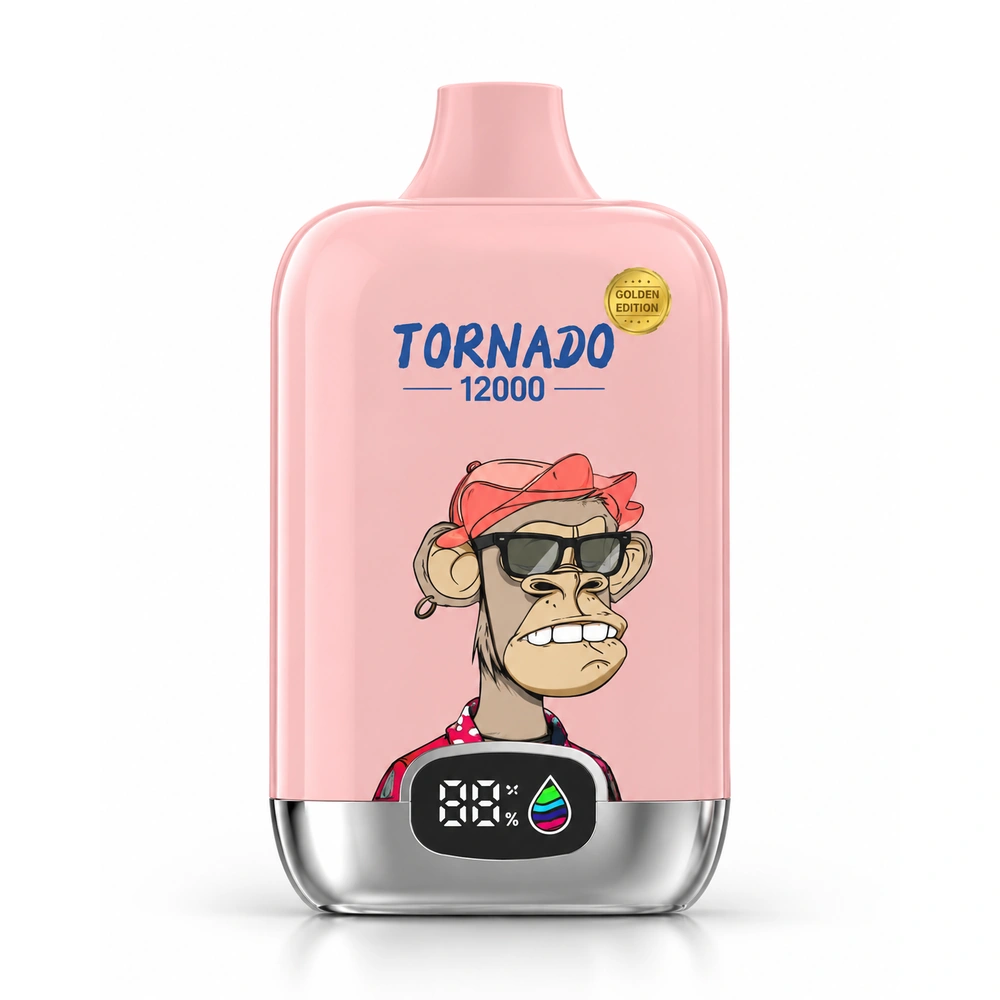
Shows an approximate view of the remaining battery level.
FUMOT DIGITAL BOX 12000 · DISPLAY
FUMOT Digital Box 12000 Display Explained
Learn what the battery and e-liquid indicators mean, how to read the screen during everyday use, and what to check when the display stays dark or behaves differently than expected.
OVERVIEW
What Does the FUMOT Digital Box 12000 Display Show?
The display is designed to make key device information easier to check at a glance. Depending on the specific version, the screen can show battery status, e-liquid status and operating information while the device is being used or charged.
These indicators are best treated as practical status guides rather than laboratory measurements. A battery graphic does not tell you how much e-liquid remains, and an e-liquid indicator does not tell you the exact number of puffs left.
Helps you understand whether the displayed e-liquid level is high or running low.
The screen may show additional feedback during use or charging.
Icons, segments and screen behavior can differ between market or hardware versions.
BATTERY INDICATOR
How to Read the Battery Indicator
The battery section of the display gives an approximate indication of the remaining charge. Depending on the version, this may be represented by bars, segments, an icon or another graphic.
A low battery indicator means the rechargeable battery may need charging. It does not automatically mean the e-liquid is low.
The Digital Box 12000 product configuration on this site uses a rechargeable 550 mAh battery and USB Type-C charging.
SCHEMATIC EXAMPLE
▰▰▰▰higher charge
▰▰mid-level charge
▰lower charge
This is an explanatory example, not a universal FUMOT error or battery code.
E-LIQUIDThe liquid indicator is not an exact milliliter meter
Use the screen as a status reference. Do not treat it as a precise measurement of the remaining 20 ml capacity.
E-LIQUID INDICATOR
What the E-Liquid Indicator Means
The e-liquid section helps show the general liquid status of the device. A lower reading indicates that the available liquid is decreasing, but the display should not be interpreted as an exact milliliter measurement.
It also cannot reliably convert the displayed liquid level into a precise number of remaining puffs. Puff duration, usage pattern and device behavior all affect real-world consumption.
DO NOT CONFUSE THEM
Battery Level and E-Liquid Level Are Separate
The rechargeable battery is running low. Charging affects the battery, not the e-liquid level.
The displayed liquid status is running low. Charging the battery does not restore e-liquid.
Key point
The two indicators describe different parts of the device. Always read them separately when deciding what the screen is telling you.
TROUBLESHOOTING
What to Check if the Display Stays Dark
Check when the screen activates
Some screens are only visible during use, charging or another active device state.
Check the battery
A fully discharged battery can leave the display dark. Use the appropriate USB Type-C charging method for the device.
Check for normal device response
If the device does not respond as expected, stop using it and inspect it for obvious damage or abnormal heat.
Do not open the battery section
Do not dismantle, puncture or modify the battery or internal electronics to troubleshoot the screen.
FLASHING & SYMBOLS
Do Not Assume Every Flashing Pattern Is a Universal Error Code
A flashing icon or screen pattern should only be assigned a specific meaning when that meaning is documented for the exact version being used.
Hardware revisions and market versions can use different display layouts or behavior. Avoid relying on an error-code list written for a different device simply because the screen looks similar.
12K
Is the Display an Exact Puff Counter?
Not necessarily. Battery and e-liquid indicators are status indicators and should not automatically be treated as an exact real-time count of the puffs remaining.
The “12000” designation describes the product’s advertised puff class. Actual use varies with draw length and individual usage patterns.
12KPUFF CLASS
Not automatically a live remaining-puff reading.
PRODUCT CONTEXT
Digital Box 12000 Display and Device Specifications
The English product page lists the FUMOT Digital Box 12000 with up to 12,000 puffs, 20 ml capacity, a 0.8 Ω mesh coil, a digital battery and e-liquid display, a 550 mAh rechargeable battery and USB Type-C charging.
The display should be interpreted together with those device specifications rather than as a standalone measurement system.
RELATED GUIDES
More FUMOT Digital Box 12000 Help
COMPLETE GUIDEDigital Box 12000 Guide
Display, charging, specifications and everyday-use information in one guide.
Read guide →
BATTERYCharging GuideUnderstand rechargeable-device charging and common charging questions.
Read guide →
PUFF COUNTSHow Puff Counts WorkUnderstand why an advertised puff class is not the same as a guaranteed live counter.
Read guide →
MODELSWhich Model?Explore model guidance and differences across the wider range.
Read guide →
FAQ
FUMOT Digital Box 12000 Display FAQ
What does the FUMOT Digital Box 12000 display show?
Depending on the version, the digital screen can show battery status, e-liquid status and operating feedback. The exact layout can vary.
Is the e-liquid indicator exact?
No. Treat it as a practical status indicator rather than an exact milliliter measurement.
Why is my Digital Box 12000 display dark?
Check whether the screen only activates during use or charging and whether the battery is discharged. Stop using the device if there is damage, abnormal heat or another safety concern.
Does the display show exactly how many puffs are left?
Not necessarily. Battery and e-liquid indicators should not automatically be interpreted as an exact remaining-puff counter.
Are all Digital Box 12000 displays identical?
No. Screen layout, icons and behavior can vary between hardware or market versions, so avoid assuming every symbol has one universal meaning.